

















Add to cart
Your cart is empty
Looks like you haven’t added any items to the bag yet.
Start shopping to fill it in.
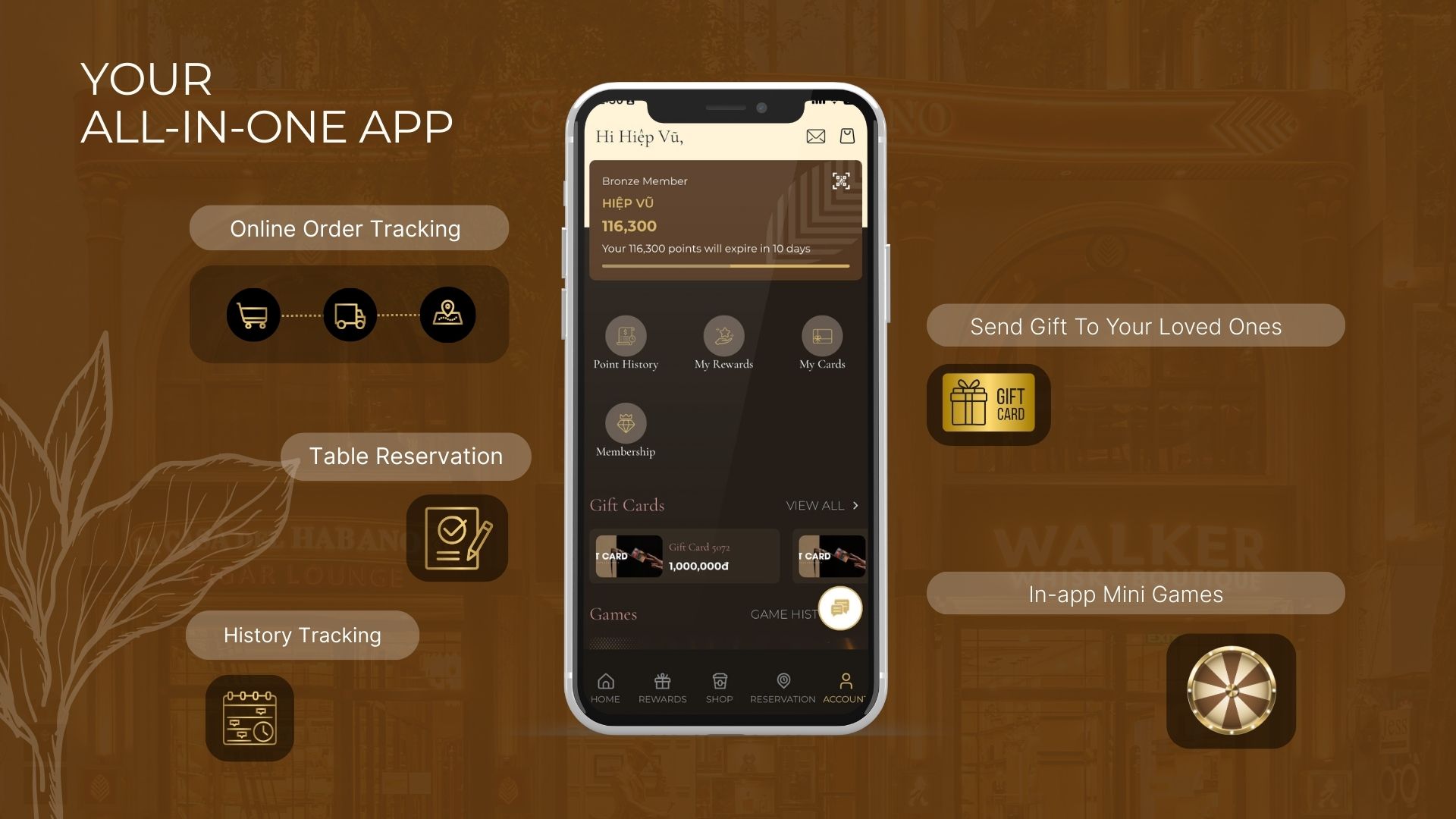
To protect your account, maintain your membership privileges and ensure access to point redemption, please review and update your AVANTI MEMBERS account information.
You may choose one of the following three methods.
The AVANTI Members app allows you to manage your membership account, review your point history, access member privileges, make table reservations, track orders and use other member-exclusive features.
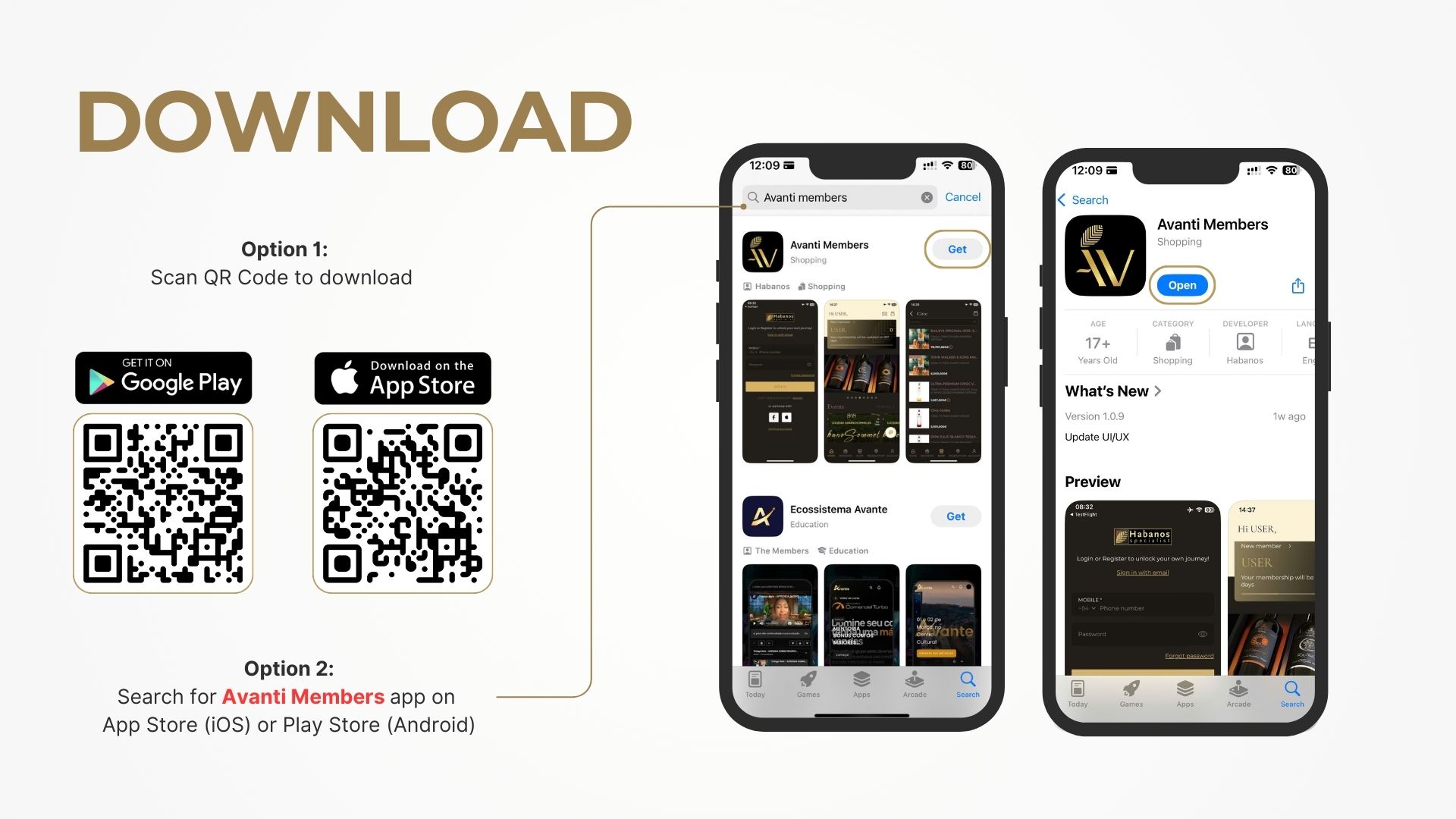
You can download the Avanti Members app by:
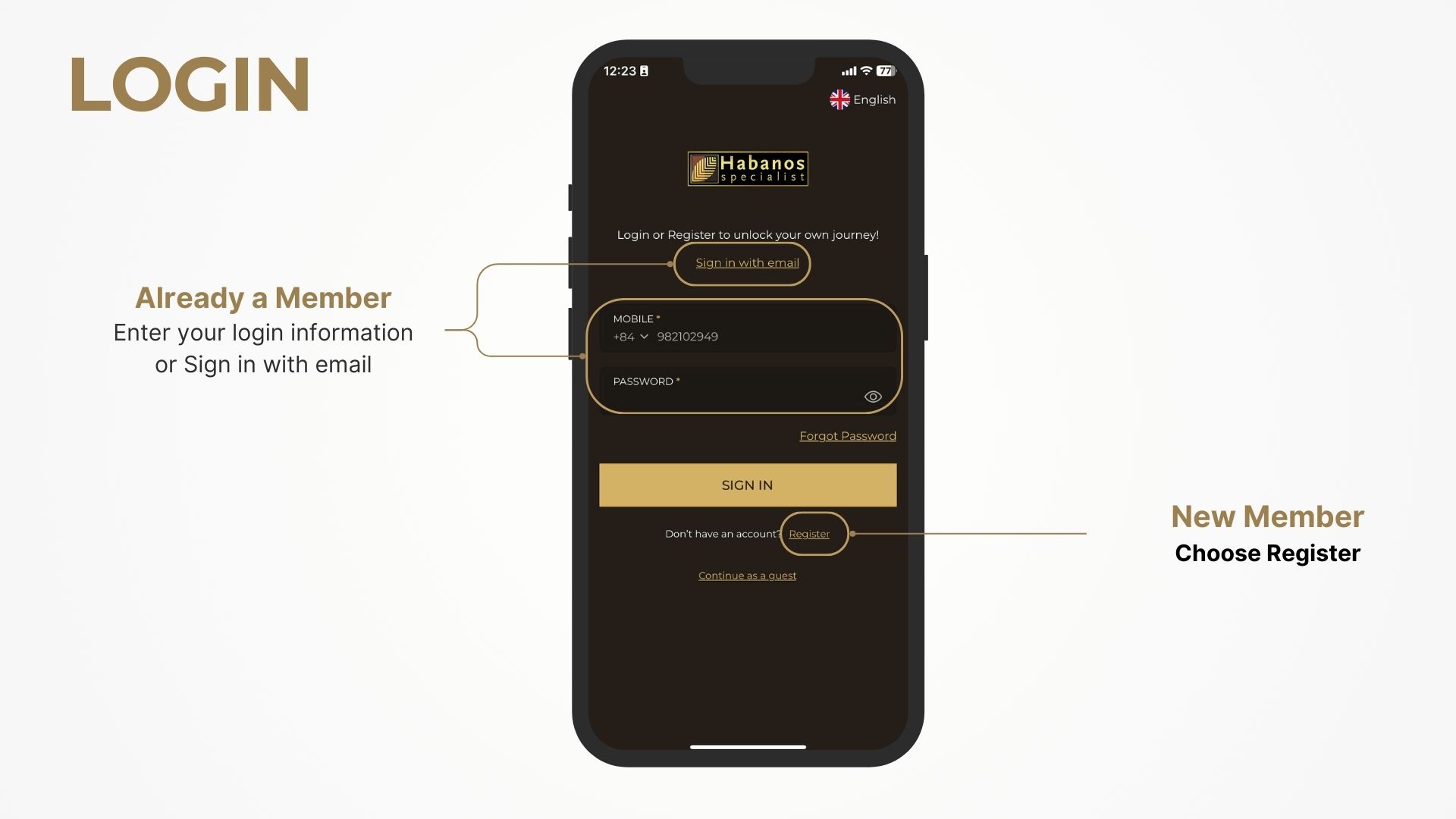
For existing members:
For new members:
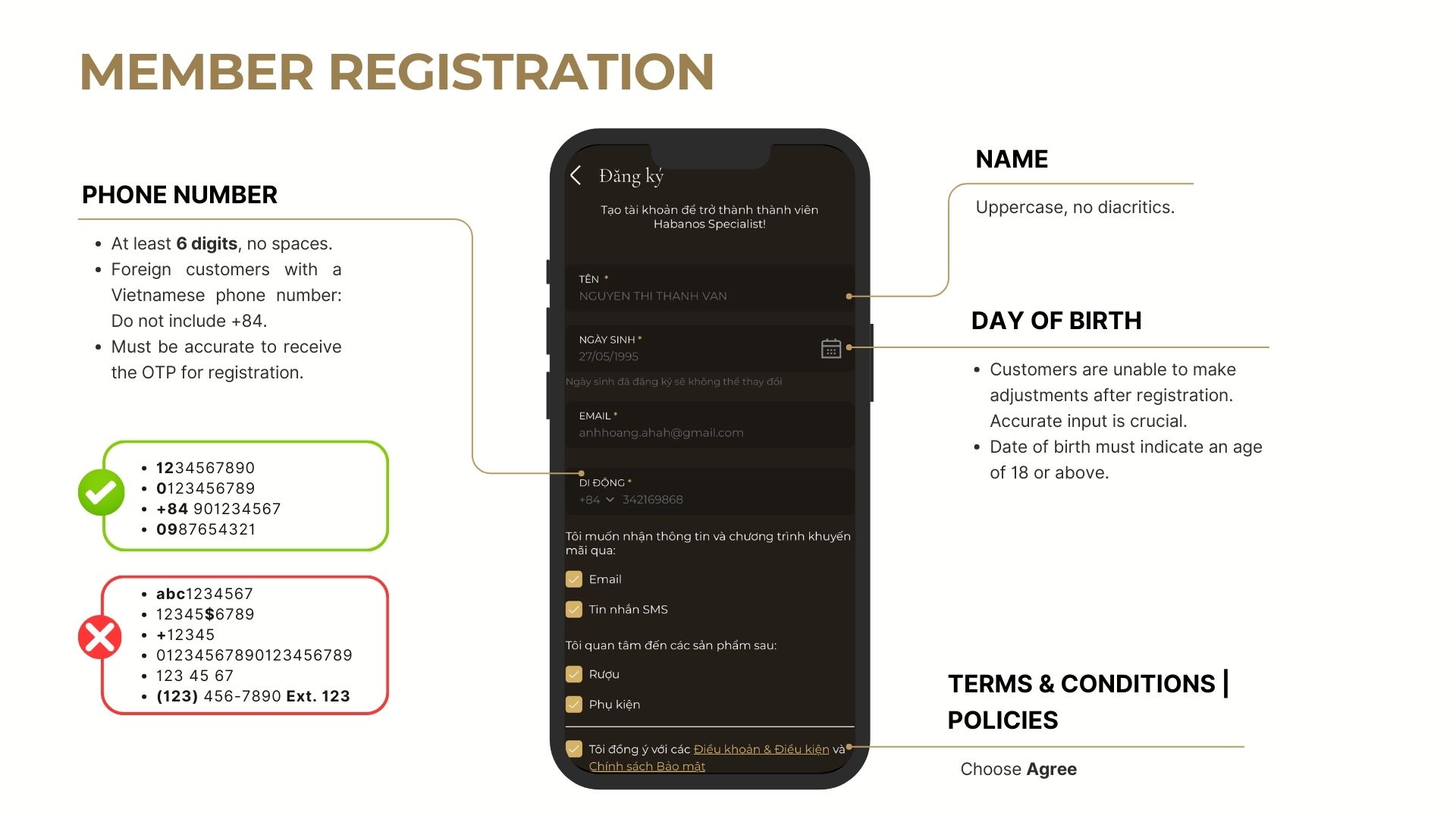
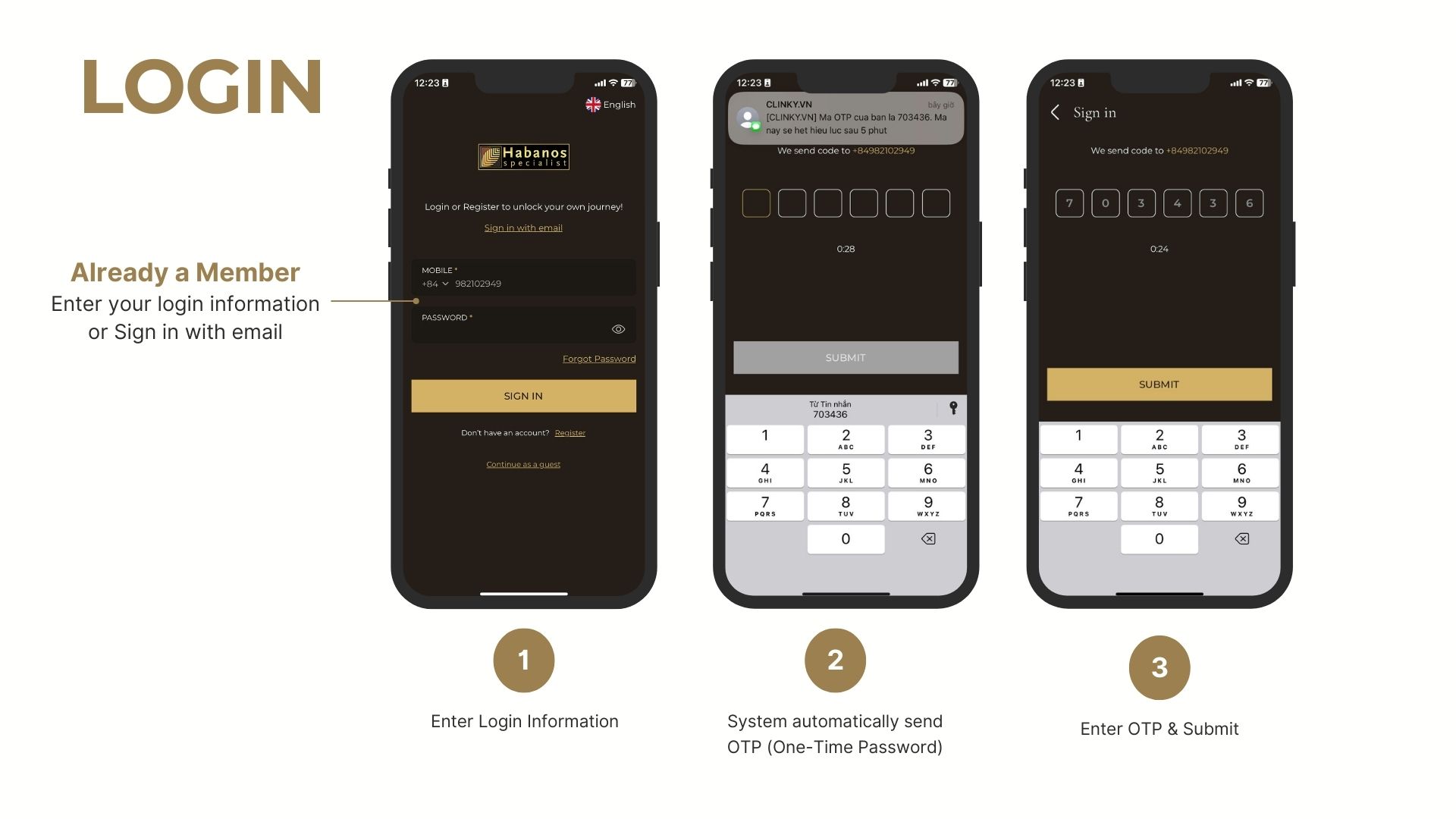
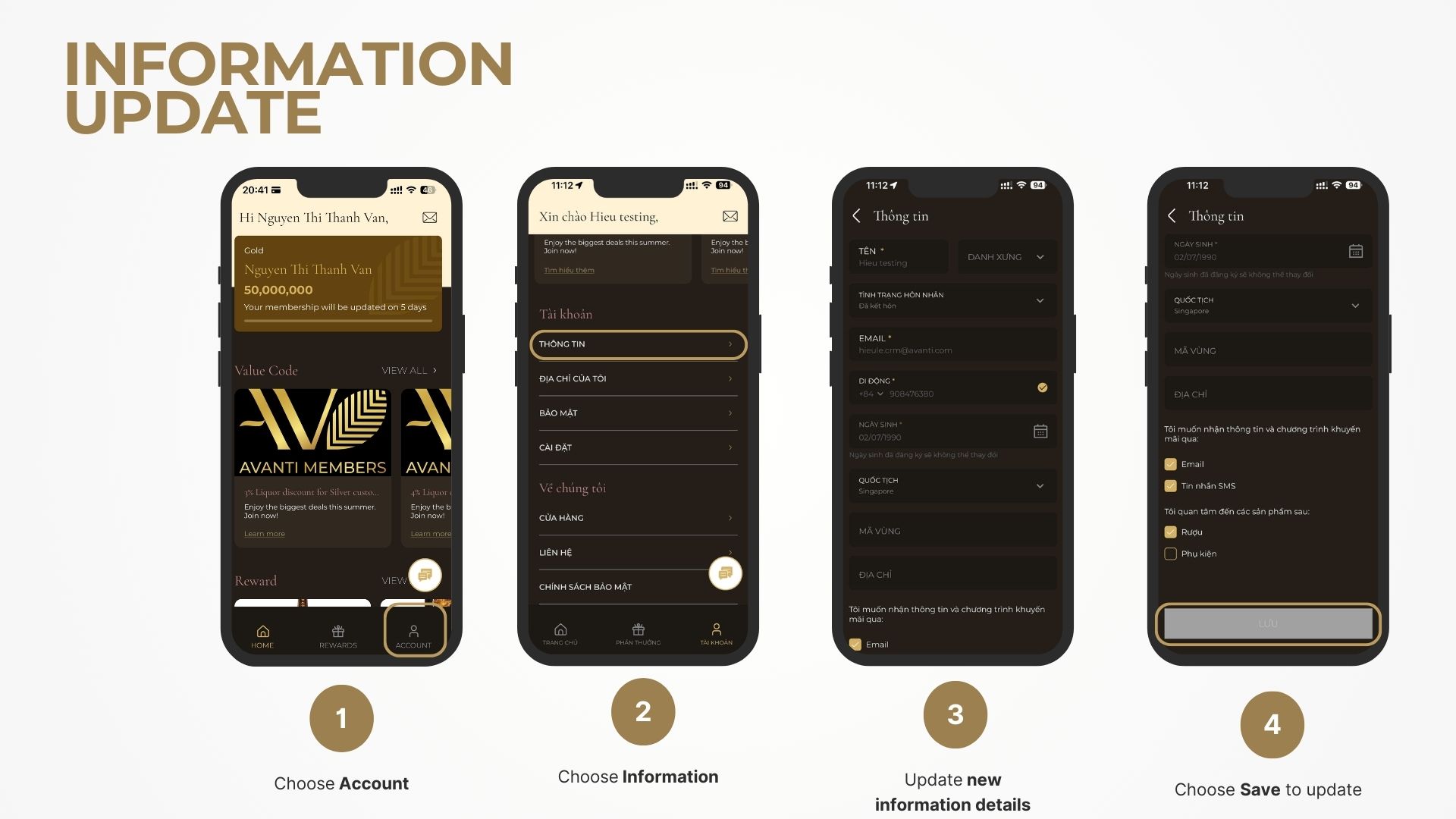
After signing in:
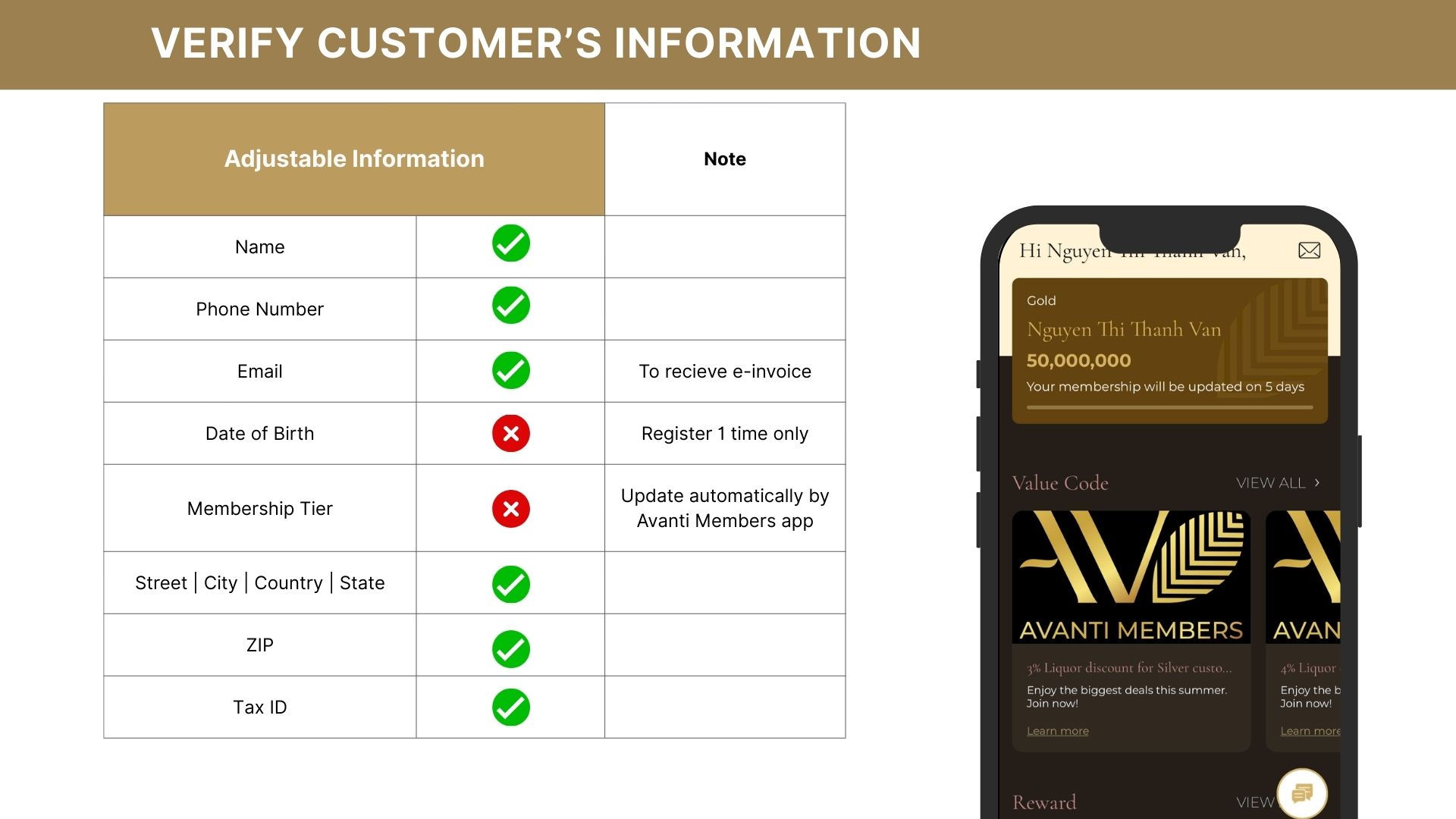
Please carefully review details such as your name, phone number, email address, nationality, address and ZIP code before saving.
Please note: Certain information, such as your date of birth, may not be editable after registration. Your membership tier is automatically updated by the Avanti Members system in accordance with the programme policy.
You may also review and update your membership information directly on the Habanos Specialist Vietnam website without using the mobile application.
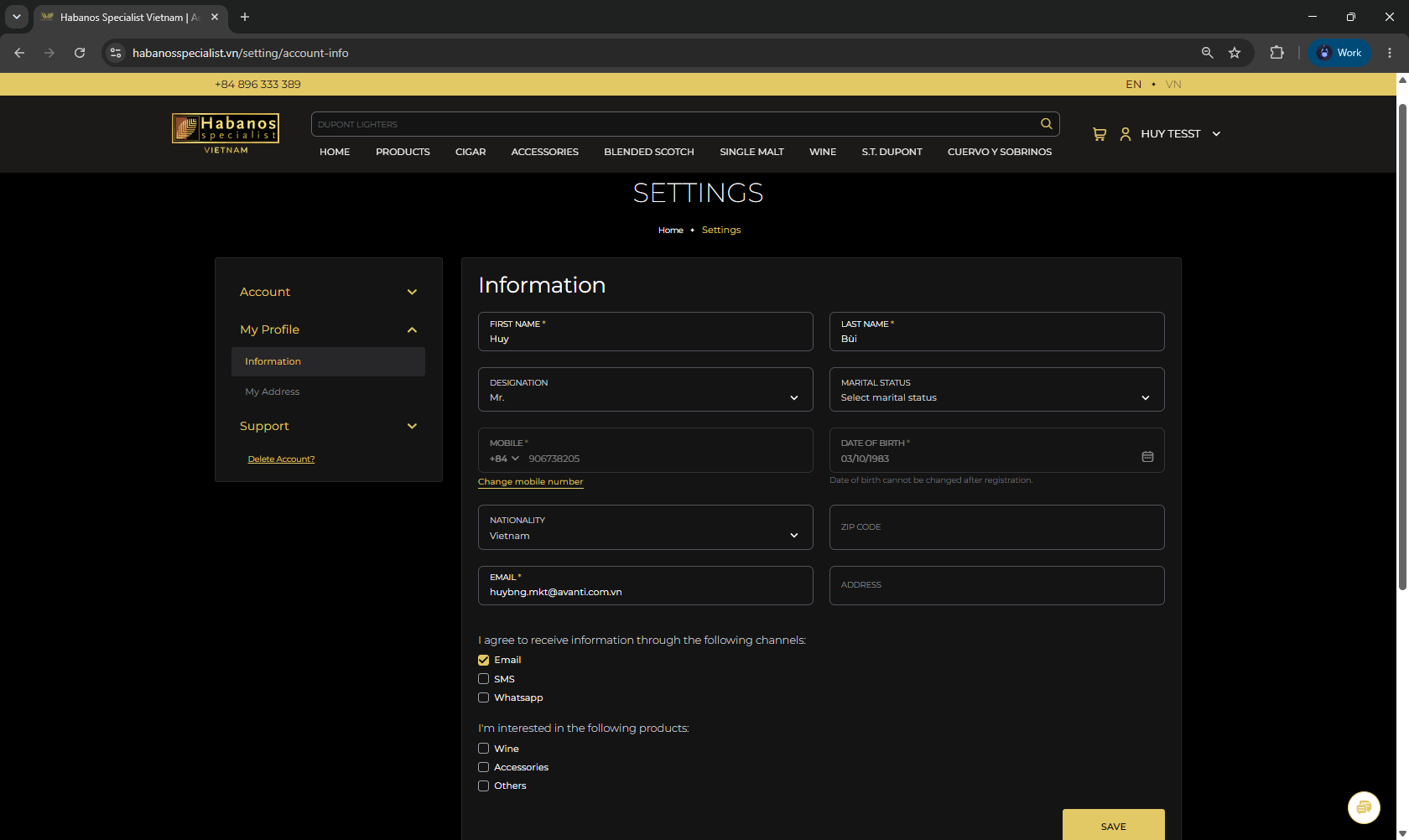
You may review or update information including:
Please note: Some information may be locked or may require additional verification before it can be changed.
Should you be unable to update your information through the app or website, please contact our Customer Care team for assistance.
Hotline / Zalo / WhatsApp: +84 896 333 389 or email: customerservice@avanti.com.vn.
When contacting Customer Care, please provide:
Our Customer Care team will guide you through the information verification process.
*Important Notice:
Please ensure that all information provided is accurate and belongs to you. Keeping your membership information complete and up to date helps protect your account, supports member verification and ensures continued access to Avanti Members privileges.